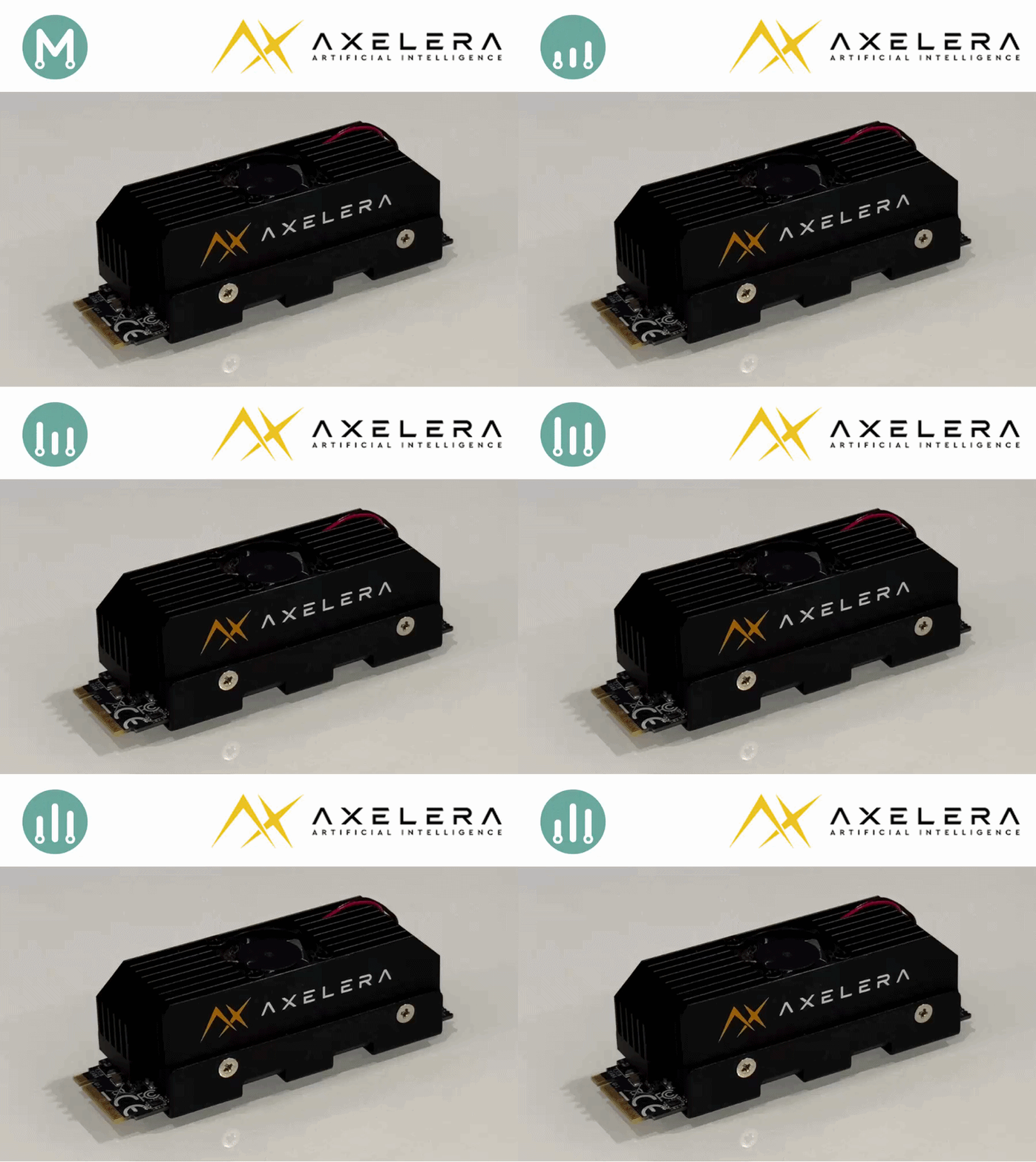
In Parts 1–3, we established a methodology for independent power measurement on edge AI accelerators.
Series: Edge AI Power Benchmarking
- Part 1: Hailo-8, the Reference Methodology
- Part 2: Power Insertion with ElmorLabs
- Part 3: Measuring Edge AI Power with INA228
- Part 4: Measuring the Power Efficiency of Axelera Metis (this post)
- Part 5: Measuring the Power Efficiency of DeepX M1
- Part 6: Measuring the Power Efficiency of MemryX MX3
Now we can finally put it to the test on the Axelera Metis.
Installing the Axelera Voyager SDK
Axelera provides excellent instructions on installing their Voyager SDK:
This can be done as a docker container, or a python virtual environment. I recommend the python virtual environment.
I am running my benchmarking on a AMD Ryzen AI MAX+ 395 PC. When I attempt to run inference, I get the following error:
terminate called after throwing an instance of 'std::runtime_error'
  what():  No functional OpenCL platform of type '' found. Available platform may be installed but not working correctly.
Aborted (core dumped)
This is a known issue with AMD GPUs, and can be avoided by specifying –disable-opencl. there is also a fix for AMD GPU support, which we will cover later in this article.
Reproducing the Axelera benchmarks
Before measuring power, I wanted to reproduce the Axelera benchmark. In line with the previous articles, I chose ResNet50, knowing it has the lightest post-processing stage, being a classification model.
The benchmark results for various model can be found on their axelera-ai-hub/voyager-sdk repo:
- Axelera Model Zoo
- ResNet-50 v1.5 on Metis (M.2 form factor) : 1756 FPS
- ResNet-50 v1.5 on Metis (PCIe form factor) : 1946 FPS
Our target, of course, is the M.2 benchmark of 1756 FPS.
Downloading the imagenet dataset
The obvious logical choice for input data would be the same dataset that was used to train the model. Axelera’s Voyager SDK supports these training datasets, and usually downloads them for us …
In the case of ResNet-50, which was trained with ImageNet, they do not provide the download functionality, and provide instructions on how to do this:
╭───────────────────────────────────────────── HINT ─────────────────────────────────────────────╮
│ Dataset directory ~/.cache/axelera/data/ImageNet does not exist.                  │
│                                                                                                │
│ To download the dataset, it is necessary to register at https://image-net.org/download-images. │
│ Then, please ensure that the files 'ILSVRC2012_devkit_t12.tar.gz', 'ILSVRC2012_img_val.tar'    │
│ are placed in the requested directory.                                                         │
│                                                                                                │
│ Lastly, execute the script 'inference.py' to initiate the inference process.                   │
│                                                                                                │
│ Further information on dataset downloading can be found here:                                  │
│ https://pytorch.org/vision/main/generated/torchvision.datasets.ImageNet.html                   │
│ https://tensorflow.org/datasets/catalog/imagenet2012_subset                                    │
│                                                                                                │
╰────────────────────────────────────────────────────────────────────────────────────────────────╯
I created an account on the imagenet web site, submitted a request, and have never received a response …
In the meantime, I will continue my exploration with a dataset that was used for other models : data/coco.
First throughput results
My first attempt was not a success, but may reflect your initial experience with the Axelera flow, so I have documented it.
| Source | Streams | AIPU Cores | OpenCL | FPS | Latency |
|---|---|---|---|---|---|
| data/coco | 1 | 1 | disabled | 370.2fps | 11.7ms |
| data/coco | 1 | 2 | disabled | 367.6fps | 20.6ms |
| data/coco | 1 | 3 | disabled | 364.8fps | 30.8ms |
| data/coco | 1 | 4 | disabled | 367.3fps | 40.7ms |
Notice that with a single input stream, additional AIPU cores don’t increase throughput — they only reduce per-frame latency. The cores are scaling latency, not bandwidth, when there’s only one stream to feed them.
Latency got worse with more cores. My guess is that there’s probably additional data movement when using multiple AIPU cores, which results in higher latency.
For reference, here is the session log:
(venv) $ ./inference.py resnet50-imagenet data/coco --no-display --disable-opencl --aipu-cores 1
Core Temp  : 38.0°C
CPU %      : 5.3%
End-to-end : 370.2fps
Latency    : 11.7ms (min:10.1 max:21.3 σ:1.4 x̄:12.2)ms

(venv) $ ./inference.py resnet50-imagenet data/coco --no-display --disable-opencl --aipu-cores 2
Core Temp  : 38.0°C
CPU %      : 5.4%
End-to-end : 367.6fps
Latency    : 20.6ms (min:11.4 max:32.5 σ:2.1 x̄:20.6)ms

(venv) $ ./inference.py resnet50-imagenet data/coco --no-display --disable-opencl --aipu-cores 3
Core Temp  : 38.0°C
CPU %      : 5.4%
End-to-end : 364.8fps
Latency    : 30.8ms (min:9.7 max:40.3 σ:3.0 x̄:30.7)ms

(venv) $ ./inference.py resnet50-imagenet data/coco --no-display --disable-opencl --aipu-cores 4
Core Temp  : 38.0°C
CPU %      : 5.3%
End-to-end : 367.3fps
Latency    : 40.7ms (min:9.5 max:52.6 σ:3.8 x̄:40.6)ms
Increasing throughput with Multiple Input Sources
As is typical with AI accelerators, higher throughput can be achieved with multi-threading. This can be accomplished with the Axelera Voyager SDK using multiple input sources.
I was not able to get multiple input sources working with image datasets, as shown in the following log:
(venv) $ ./inference.py resnet50-imagenet data/coco data/coco data/coco data/coco --no-display --show-stats --disable-opencl --aipu-cores 4
Detecting...                               :   9%|▊        | 1757/20000 [00:04<00:36, 497.78frames/s]sys:1: Warning: g_array_free: assertion 'array' failed
g_mutex_clear() called on uninitialised or locked mutex
Aborted (core dumped)
In order to counter these issues, I reverted to using a video as input, which seems to work fine for multiple input sources:
| Source | Streams | AIPU Cores | OpenCL | FPS | Latency |
|---|---|---|---|---|---|
| media/Fabrizio_talk.mp4 | 4 | 1 | disabled | 397.2fps | 91.9ms |
| media/Fabrizio_talk.mp4 | 4 | 2 | disabled | 710.5fps | 56.3ms |
| media/Fabrizio_talk.mp4 | 4 | 3 | disabled | 955.5fps | 16.0ms |
| media/Fabrizio_talk.mp4 | 4 | 4 | disabled | 963.4fps | 19.8ms |
With multiple input sources, we are getting better throughput, especially with multiple AIPU cores.
I do not understand the latency metrics from this session, especially for 3 AIPU cores, which appear to be an anomaly. It is not a typo, I re-ran the session several times, and the results are consistent. I do not have an explanation for this anomaly.
For reference, here is the session log using multiple streams:
(venv) $ ./inference.py resnet50-imagenet media/Fabrizio_talk.mp4 media/Fabrizio_talk.mp4 media/Fabrizio_talk.mp4 media/Fabrizio_talk.mp4 --no-display --disable-opencl --aipu-cores 1
Core Temp  : 39.0°C
CPU %      : 5.8%
End-to-end : 397.5fps
Latency    : 91.9ms (min:63.6 max:105.0 σ:0.8 x̄:91.9)ms

(venv) $ ./inference.py resnet50-imagenet media/Fabrizio_talk.mp4 media/Fabrizio_talk.mp4 media/Fabrizio_talk.mp4 media/Fabrizio_talk.mp4 --no-display --disable-opencl --aipu-cores 2
Core Temp  : 40.0°C
CPU %      : 10.0%
End-to-end : 709.8fps
Latency    : 56.5ms (min:46.5 max:66.4 σ:2.0 x̄:56.1)ms

(venv) $ ./inference.py resnet50-imagenet media/Fabrizio_talk.mp4 media/Fabrizio_talk.mp4 media/Fabrizio_talk.mp4 media/Fabrizio_talk.mp4 --no-display --disable-opencl --aipu-cores 3
Core Temp  : 42.0°C
CPU %      : 12.9%
End-to-end : 974.9fps
Latency    : 15.3ms (min:8.8 max:22.8 σ:1.4 x̄:15.4)ms

(venv) $ ./inference.py resnet50-imagenet media/Fabrizio_talk.mp4 media/Fabrizio_talk.mp4 media/Fabrizio_talk.mp4 media/Fabrizio_talk.mp4 --no-display --disable-opencl --aipu-cores 4
Core Temp  : 43.0°C
CPU %      : 12.9%
End-to-end : 974.3fps
Latency    : 19.2ms (min:8.6 max:26.7 σ:1.5 x̄:19.3)ms
Increasing throughput with OpenCL support
If you have a system without a GPU, this will not be supported, and all pre-processing and post-processing will be run on the CPU.
If you have a system with an NVIDIA GPU, this should work out of the box.
If, like me, you have an AMD GPU, this does not work out of the box.
There is, however, a workaround, and an acknowledgement that this will be fixed in the next Voyager SDK release:
With this workaround, I was able to run the inference with the –enable-opencl argument:
| Source | Streams | AIPU Cores | OpenCL | FPS | Latency |
|---|---|---|---|---|---|
| media/Fabrizio_talk.mp4 | 4 | 1 | enabled | 354.6fps | 96.8ms |
| media/Fabrizio_talk.mp4 | 4 | 2 | enabled | 688.4fps | 56.9ms |
| media/Fabrizio_talk.mp4 | 4 | 3 | enabled | 1382.2fps | 30.4ms |
| media/Fabrizio_talk.mp4 | 4 | 4 | enabled | 2053.7fps | 22.9ms |
With OpenCL enabled, we get significantly higher throughput when using more AIPU cores.
The latency behaves inversely to the number of cores.
For reference, here is the session log for 4 cores, using multiple streams, and with OpenCL support enabled:
(venv) $ ./inference.py resnet50-imagenet media/Fabrizio_talk.mp4 media/Fabrizio_talk.mp4 media/Fabrizio_talk.mp4 media/Fabrizio_talk.mp4 --no-display --enable-opencl --aipu-cores 1
Core Temp  : 41.0°C
CPU %      : 3.8%
End-to-end : 354.6fps
Latency    : 96.8ms (min:87.2 max:112.9 σ:5.9 x̄:96.3)ms

(venv) $ ./inference.py resnet50-imagenet media/Fabrizio_talk.mp4 media/Fabrizio_talk.mp4 media/Fabrizio_talk.mp4 media/Fabrizio_talk.mp4 --no-display --enable-opencl --aipu-cores 2
Core Temp  : 42.0°C
CPU %      : 6.9%
End-to-end : 688.4fps
Latency    : 56.9ms (min:35.9 max:165.9 σ:7.7 x̄:57.0)ms

(venv) $ ./inference.py resnet50-imagenet media/Fabrizio_talk.mp4 media/Fabrizio_talk.mp4 media/Fabrizio_talk.mp4 media/Fabrizio_talk.mp4 --no-display --enable-opencl --aipu-cores 3
Core Temp  : 43.0°C
CPU %      : 11.5%
End-to-end : 1382.2fps
Latency    : 30.4ms (min:21.5 max:44.6 σ:1.8 x̄:30.9)ms

(venv) $ ./inference.py resnet50-imagenet media/Fabrizio_talk.mp4 media/Fabrizio_talk.mp4 media/Fabrizio_talk.mp4 media/Fabrizio_talk.mp4 --no-display --enable-opencl --aipu-cores 4
Core Temp  : 45.0°C
CPU %      : 13.2%
End-to-end : 2053.7fps
Latency    : 22.9ms (min:18.4 max:26.8 σ:0.9 x̄:22.7)ms
Surpassing the Axelera Benchmark
Not only did I match Axelera’s published M.2 benchmark of 1756 FPS, I exceeded it by ~17%, hitting 2050 FPS.
- ResNet-50 v1.5 on Metis (M.2 form factor) : 2050 FPS
That’s also above the published PCIe form factor result of 1946 FPS, which is unexpected since PCIe normally has more bandwidth headroom than M.2.
The most probable explanation is host platform: Axelera’s published numbers were apparently run on Intel 9 hardware, while I’m on the much newer AMD Ryzen AI MAX+ 395. The Metis chip itself isn’t the bottleneck at the published numbers, the host’s pre/post-processing capacity is.
Newer host = higher AIPU utilization.
I would expect the opposite for older host PCs, or for more resource-constrained hosts (e.g., Raspberry Pi).
Now that we are satisfied with the throughput results, let’s measure how much power is being consumed to achieve this result.
Measuring Axelera Metis Power with mb-powermon.py
We will use the methodology that we established in Part 3, using a custom INA228 based power measurement tool.
Also, we will use the same mb-powermon.py utility we have been using throughout the series:
The first step is to clone the repo for my open-source power monitoring utility.
(venv) $ git clone https://github.com/AlbertaBeef/mb-powermon

(venv) $ cd mb-powermon
Within the voyager-sdk virtual environment, install the “pyftdi”, “adafruit-blinka”, and “adafruit-circuitpython-ina228” python packages.
(venv) $ pip3 install pyftdi adafruit-blinka adafruit-circuitpython-ina228
Make certain you have permission to access the enumerated FTDI USB device. I have included a script that can be used called fix-ft232h-permissions.sh (use with caution):
(venv) $ ./fix-ft232h-permissions.sh
[ft232h-fix] scanning /sys/bus/usb/devices for VID:PID 0403:6014...
[ft232h-fix] found FT232H at sysfs path /sys/bus/usb/devices/9-1/ (bus=9 dev=2)
[ft232h-fix] device node: /dev/bus/usb/009/002
[ft232h-fix] current permissions:
crw-rw-r-- 1 root root 189, 1025 May  5 02:48 /dev/bus/usb/009/002
[ft232h-fix] current mode is 664 (need 666 for non-root pyftdi access)
[ft232h-fix] udev rule already present in /etc/udev/rules.d/11-ftdi.rules
[ft232h-fix] reloading udev rules and re-triggering...
[sudo] password for abbeefai:
[ft232h-fix] permissions after reload:
crw-rw-rw- 1 root root 189, 1025 May  5 02:54 /dev/bus/usb/009/002
[ft232h-fix] SUCCESS — mode is now 0666.
[ft232h-fix] next: restart your docker container so the new permission is visible inside.
Next, we can launch the mb-powermon utility as follows:
(venv) $ python3 mb-powermon.py --probe axelera,adafruit --csv mb-powermon-axelera-ina228-resnet50-20260507-01.csv
If we re-run the inference in a separate console within the Axelera virtual environment:
(venv) $ ./inference.py resnet50-imagenet media/Fabrizio_talk.mp4 media/Fabrizio_talk.mp4 media/Fabrizio_talk.mp4 media/Fabrizio_talk.mp4 --no-display --show-stats --enable-opencl --aipu-cores 4
========================================================================
Element Time(𝜇s) Effective FPS
========================================================================
qtdemux1 12 77,021.3
h264parse1 49 20,274.2
capsfilter2 20 47,849.1
qtdemux0 12 79,498.1
h264parse0 49 20,143.4
capsfilter1 20 49,406.1
qtdemux2 12 77,927.6
h264parse2 48 20,498.1
capsfilter0 19 50,638.0
qtdemux3 12 77,782.2
h264parse3 49 20,241.7
capsfilter3 20 49,474.2
decodebin-link2 19 51,185.2
axtransform-colorconvert-cl2 44 22,512.4
decodebin-link0 19 51,723.5
axtransform-colorconvert-cl0 44 22,231.8
decodebin-link3 19 50,826.2
axtransform-colorconvert-cl3 45 22,105.5
decodebin-link1 19 50,660.2
axtransform-colorconvert-cl1 44 22,654.4
inference-task0:libtransform_centrecropextra_0
0 1,008,558.3
inference-task0:libtransform_resize_cl_0 9 100,926.4
inference-task0:libtransform_padding_0 46 21,384.1
inference-task0:inference 472 2,114.3
inference-task0:Inference latency 9,199 n/a
inference-task0:libtransform_paddingdequantize_0
4 238,455.4
inference-task0:libdecode_classification_0 5 188,690.6
inference-task0:Postprocessing latency 168 n/a
inference-task0:Total latency 14,218 n/a
========================================================================
End-to-end average measurement 2,050.1
========================================================================
Core Temp : 42.0°C
CPU % : 15.2%
End-to-end : 2050.1fps
Latency : 22.8ms (min:17.5 max:28.9 σ:1.3 x̄:22.6)ms
(venv) $ ./inference.py resnet50-imagenet media/Fabrizio_talk.mp4 media/Fabrizio_talk.mp4 media/Fabrizio_talk.mp4 media/Fabrizio_talk.mp4 --no-display --show-stats --enable-opencl --aipu-cores 4
========================================================================
Element Time(𝜇s) Effective FPS
========================================================================
qtdemux2 13 74,532.9
h264parse3 49 20,125.0
capsfilter2 21 47,457.6
qtdemux3 13 75,232.8
h264parse0 50 19,955.4
capsfilter1 20 47,649.5
qtdemux1 13 74,421.7
h264parse2 50 19,792.3
capsfilter3 21 47,492.1
qtdemux0 13 74,327.6
h264parse1 49 20,375.6
capsfilter0 20 48,827.6
decodebin-link2 20 48,391.7
decodebin-link0 19 50,752.8
axtransform-colorconvert-cl2 45 21,816.0
axtransform-colorconvert-cl0 45 22,067.2
decodebin-link1 19 50,399.2
axtransform-colorconvert-cl1 44 22,505.5
decodebin-link3 19 52,028.8
axtransform-colorconvert-cl3 44 22,460.4
inference-task0:libtransform_centrecropextra_0
0 1,024,031.9
inference-task0:libtransform_resize_cl_0 9 100,793.6
inference-task0:libtransform_padding_0 45 21,843.4
inference-task0:inference 473 2,113.9
inference-task0:Inference latency 9,202 n/a
inference-task0:libtransform_paddingdequantize_0
4 238,924.7
inference-task0:libdecode_classification_0 5 185,324.2
inference-task0:Postprocessing latency 171 n/a
inference-task0:Total latency 14,221 n/a
========================================================================
End-to-end average measurement 2,053.8
========================================================================
Core Temp : 42.0°C
CPU % : 15.8%
End-to-end : 2053.8fps
Latency : 22.8ms (min:17.2 max:28.9 σ:1.3 x̄:22.6)ms
(venv) $ ./inference.py resnet50-imagenet media/Fabrizio_talk.mp4 media/Fabrizio_talk.mp4 media/Fabrizio_talk.mp4 media/Fabrizio_talk.mp4 --no-display --show-stats --enable-opencl --aipu-cores 4
========================================================================
Element Time(𝜇s) Effective FPS
========================================================================
qtdemux1 13 74,954.1
h264parse0 50 19,801.0
capsfilter3 20 48,222.6
qtdemux3 13 74,828.8
h264parse1 51 19,601.1
capsfilter2 20 48,800.0
qtdemux0 13 75,697.9
h264parse3 49 20,124.8
capsfilter1 20 49,339.5
qtdemux2 13 74,286.2
h264parse2 50 19,625.9
capsfilter0 19 51,598.3
decodebin-link0 19 52,483.7
axtransform-colorconvert-cl0 45 22,132.3
decodebin-link2 19 50,076.1
decodebin-link3 19 50,940.2
axtransform-colorconvert-cl2 45 22,157.0
axtransform-colorconvert-cl3 44 22,360.7
decodebin-link1 18 52,807.5
axtransform-colorconvert-cl1 44 22,711.0
inference-task0:libtransform_centrecropextra_0
1 999,616.6
inference-task0:libtransform_resize_cl_0 10 98,887.1
inference-task0:libtransform_padding_0 47 21,218.6
inference-task0:inference 473 2,113.8
inference-task0:Inference latency 9,191 n/a
inference-task0:libtransform_paddingdequantize_0
4 232,207.1
inference-task0:libdecode_classification_0 5 183,696.5
inference-task0:Postprocessing latency 172 n/a
inference-task0:Total latency 14,210 n/a
========================================================================
End-to-end average measurement 2,052.1
========================================================================
Core Temp : 43.0°C
CPU % : 16.0%
End-to-end : 2052.1fps
Latency : 22.8ms (min:17.7 max:28.7 σ:1.2 x̄:22.7)ms
(venv) $ ./inference.py resnet50-imagenet media/Fabrizio_talk.mp4 media/Fabrizio_talk.mp4 media/Fabrizio_talk.mp4 media/Fabrizio_talk.mp4 --no-display --show-stats --enable-opencl --aipu-cores 4
========================================================================
Element Time(𝜇s) Effective FPS
========================================================================
qtdemux3 12 78,193.4
h264parse3 49 20,350.2
capsfilter3 20 48,917.0
qtdemux1 13 76,004.1
h264parse1 48 20,512.1
capsfilter1 20 49,383.4
qtdemux2 13 75,738.7
h264parse2 50 19,812.3
capsfilter2 21 47,570.5
qtdemux0 13 76,921.4
h264parse0 50 19,663.1
capsfilter0 19 50,389.1
decodebin-link2 19 50,146.6
axtransform-colorconvert-cl2 44 22,443.2
decodebin-link1 19 50,789.1
axtransform-colorconvert-cl1 43 22,761.5
decodebin-link3 19 50,700.3
axtransform-colorconvert-cl3 43 22,857.4
decodebin-link0 18 52,955.8
axtransform-colorconvert-cl0 43 22,812.0
inference-task0:libtransform_centrecropextra_0
0 1,002,904.2
inference-task0:libtransform_resize_cl_0 9 101,998.6
inference-task0:libtransform_padding_0 47 21,139.8
inference-task0:inference 473 2,112.8
inference-task0:Inference latency 9,200 n/a
inference-task0:libtransform_paddingdequantize_0
4 228,579.2
inference-task0:libdecode_classification_0 5 182,083.1
inference-task0:Postprocessing latency 169 n/a
inference-task0:Total latency 14,222 n/a
========================================================================
End-to-end average measurement 2,054.4
========================================================================
Core Temp : 43.0°C
CPU % : 15.7%
End-to-end : 2054.4fps
Latency : 22.8ms (min:17.0 max:28.7 σ:1.2 x̄:22.6)ms
While this is running, you will see something similar to the following (video playing at 10x speed):
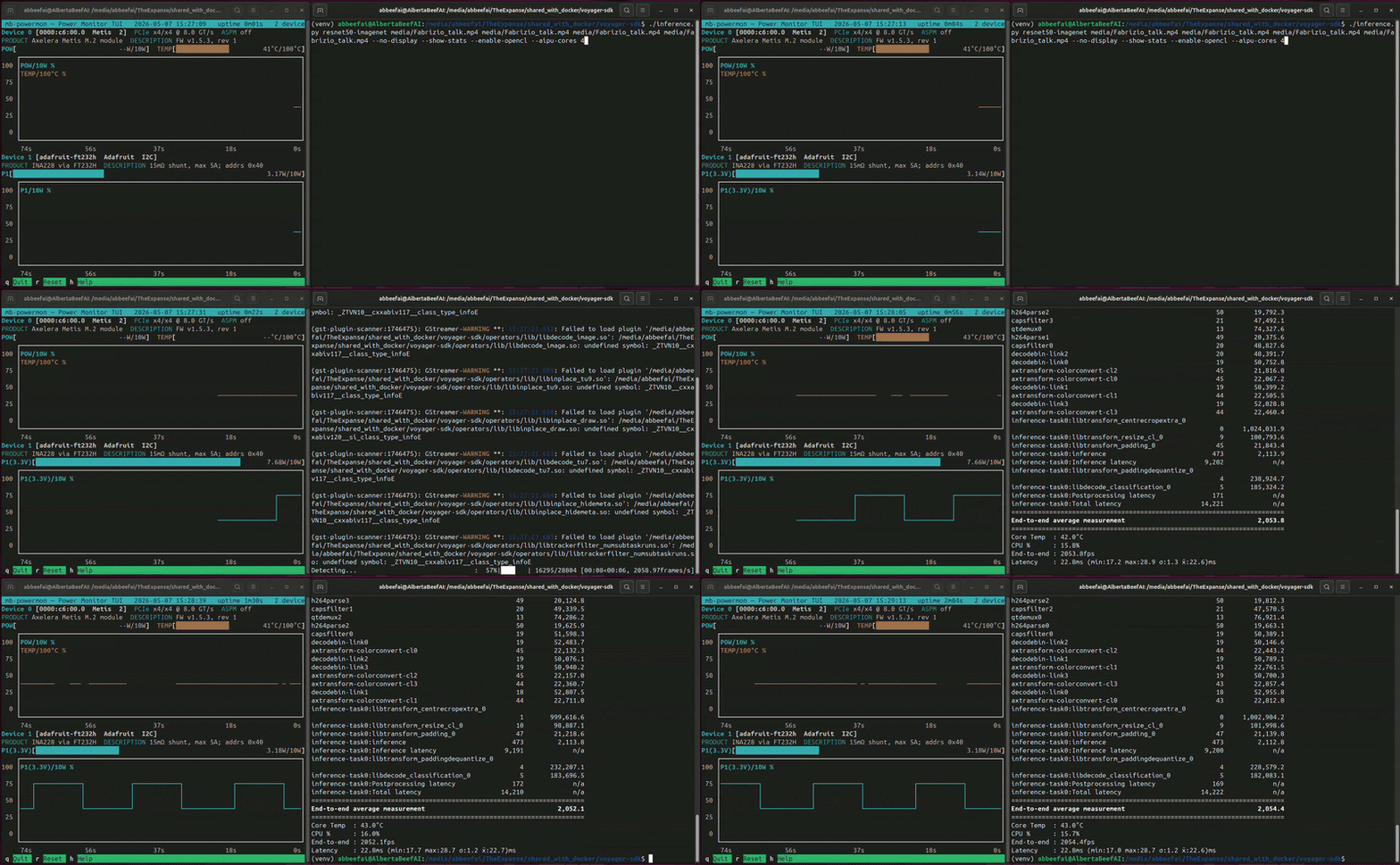
In this video, I am benchmarking resnet50 four times on the same Axelera Metis module.
If we convert the output .csv file to a user-friendly .html, we can plot power and temperature for all four runs:
(venv) $ python3 csv-to-html-plot.py --input mb-powermon-axelera-ina228-resnet50-20260507.csv --output mb-powermon-axelera-ina228-resnet50-20260507.html
The INA228 reports an average of ~7.6 W during the four runs, with the on-die temperature stabilizing at ~43°C.
I was even able to run the benchmark with display, and the throughput remained above 2000 FPS (video playing at 2x speed).
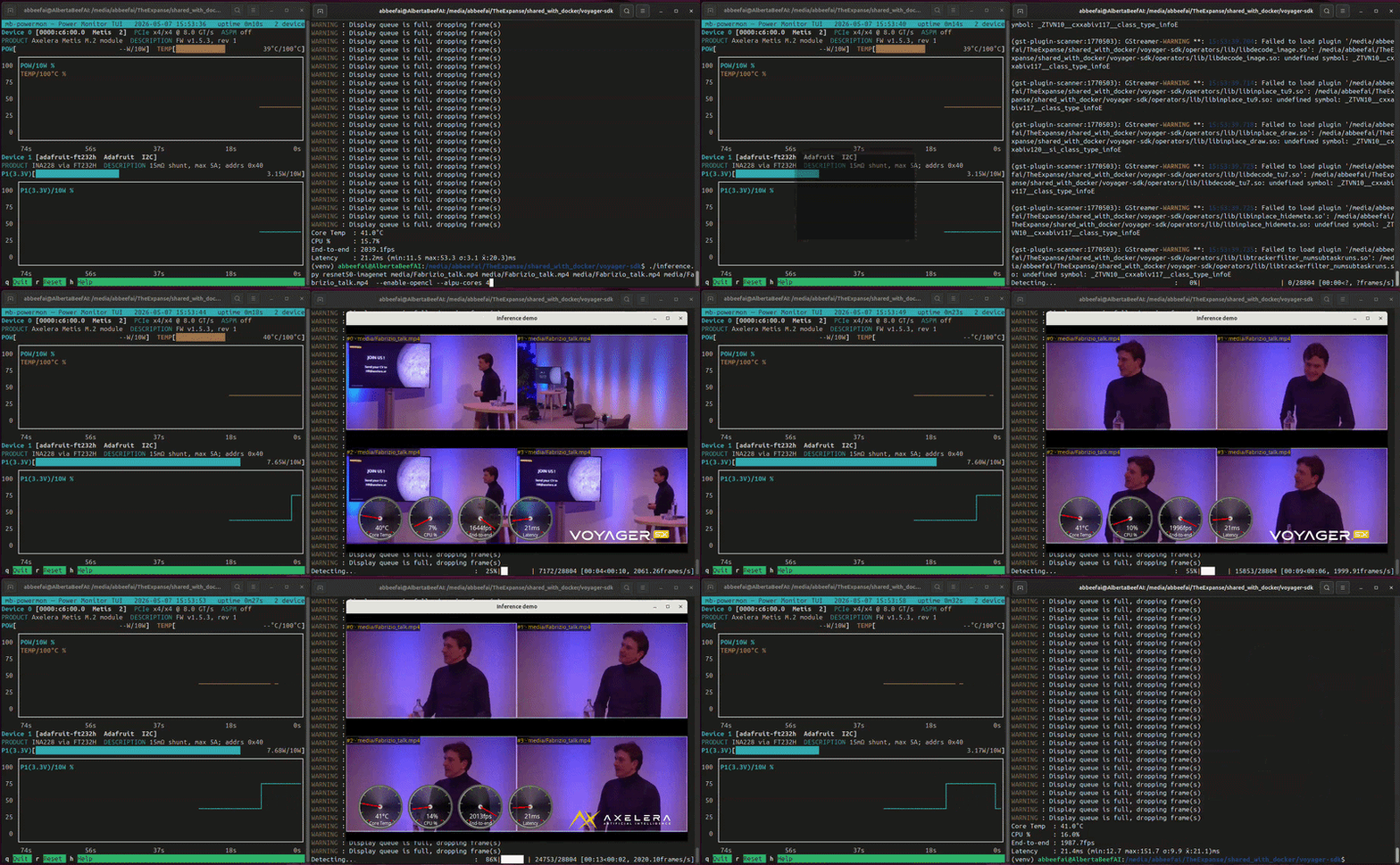
Of course, the display did not keep up to this cadence, and frames were dropped, which is normal and expected.
Idle Power
For power-sensitive applications, it is useful to know what the Axelera Metis module draws when it is powered up but not running inference.
I have measured two distinct idle power levels:
- 3.1 W - with fan running
- 2.9 W - with fan disconnected
This would indicate that the fan is consuming 0.2 W of this power envelope.
On my AMD Ryzen AI MAX+ 395 PC, which supports ASPM, the Axelera Metis module negotiated ASPM as off. We saw in Part 1, with the Hailo-8 module, that when the module was powered down to the ASPM L1 state, the idle power reduced by an additional 300 mW.
For always-on applications, this idle power is a benchmark in itself:
| Manufacturer | Accelerator | State | ASPM | Fan | Power |
|---|---|---|---|---|---|
| Hailo | Hailo-8 (M.2) | idle | L1 | no | 0.5 W |
| Hailo | Hailo-8 (M.2) | idle | off | no | 0.8 W |
| Axelera | Metis (M.2) | idle | off | no | 2.9 W |
| Axelera | Metis (M.2) | idle | off | yes | 3.1 W |
Known Issues
During the first inference, I got these WARNINGs which did not seem to prevent my sessions from working. This may be something specific to my setup … I don’t know.
(gst-plugin-scanner:1746475): GStreamer-WARNING **: 15:27:21.499: Failed to load plugin '/media/abbeefai/TheExpanse/shared_with_docker/voyager-sdk/operators/lib/libbytetrack.so': /media/abbeefai/TheExpanse/shared_with_docker/voyager-sdk/operators/lib/libbytetrack.so: undefined symbol: _ZTISt9bad_alloc

(gst-plugin-scanner:1746475): GStreamer-WARNING **: 15:27:21.515: Failed to load plugin '/media/abbeefai/TheExpanse/shared_with_docker/voyager-sdk/operators/lib/libtransform_yolopreproc.so': /media/abbeefai/TheExpanse/shared_with_docker/voyager-sdk/operators/lib/libtransform_yolopreproc.so: undefined symbol: _ZTVN10__cxxabiv117__class_type_infoE

(gst-plugin-scanner:1746475): GStreamer-WARNING **: 15:27:21.551: Failed to load plugin '/media/abbeefai/TheExpanse/shared_with_docker/voyager-sdk/operators/lib/libdecode_image.so': /media/abbeefai/TheExpanse/shared_with_docker/voyager-sdk/operators/lib/libdecode_image.so: undefined symbol: _ZTVN10__cxxabiv117__class_type_infoE

(gst-plugin-scanner:1746475): GStreamer-WARNING **: 15:27:21.605: Failed to load plugin '/media/abbeefai/TheExpanse/shared_with_docker/voyager-sdk/operators/lib/libinplace_tu9.so': /media/abbeefai/TheExpanse/shared_with_docker/voyager-sdk/operators/lib/libinplace_tu9.so: undefined symbol: _ZTVN10__cxxabiv117__class_type_infoE

(gst-plugin-scanner:1746475): GStreamer-WARNING **: 15:27:21.618: Failed to load plugin '/media/abbeefai/TheExpanse/shared_with_docker/voyager-sdk/operators/lib/libinplace_draw.so': /media/abbeefai/TheExpanse/shared_with_docker/voyager-sdk/operators/lib/libinplace_draw.so: undefined symbol: _ZTVN10__cxxabiv120__si_class_type_infoE

(gst-plugin-scanner:1746475): GStreamer-WARNING **: 15:27:21.653: Failed to load plugin '/media/abbeefai/TheExpanse/shared_with_docker/voyager-sdk/operators/lib/libdecode_tu7.so': /media/abbeefai/TheExpanse/shared_with_docker/voyager-sdk/operators/lib/libdecode_tu7.so: undefined symbol: _ZTVN10__cxxabiv117__class_type_infoE

(gst-plugin-scanner:1746475): GStreamer-WARNING **: 15:27:21.654: Failed to load plugin '/media/abbeefai/TheExpanse/shared_with_docker/voyager-sdk/operators/lib/libinplace_hidemeta.so': /media/abbeefai/TheExpanse/shared_with_docker/voyager-sdk/operators/lib/libinplace_hidemeta.so: undefined symbol: _ZTVN10__cxxabiv117__class_type_infoE

(gst-plugin-scanner:1746475): GStreamer-WARNING **: 15:27:21.683: Failed to load plugin '/media/abbeefai/TheExpanse/shared_with_docker/voyager-sdk/operators/lib/libtrackerfilter_numsubtaskruns.so': /media/abbeefai/TheExpanse/shared_with_docker/voyager-sdk/operators/lib/libtrackerfilter_numsubtaskruns.so: undefined symbol: _ZTVN10__cxxabiv117__class_type_infoE
Conclusion
In this article, we have successfully applied our power measurement methodology to the Axelera Metis M.2 module.
On resnet50, the Axelera Metis delivers ~2050 FPS at ~7.6 W — roughly 270 FPS/W.
If we compare this with our results with the Hailo-8 module, we have the following standings.
| Manufacturer | Accelerator | Model | Throughput | Power | Efficiency |
|---|---|---|---|---|---|
| Hailo | Hailo-8 (M.2) | resnet50 | 1371 FPS | 4.0 W | 343 FPS/W |
| Axelera | Metis (M.2) | resnet50 | 2050 FPS | 7.6 W | 270 FPS/W |
It is important to note that the Axelera Metis module has LPDDR, where-as the Hailo-8 module does not:
| Manufacturer | Accelerator | PCIe lanes | SRAM | LPDDR |
|---|---|---|---|---|
| Hailo | Hailo-8 (M.2) | 4 | undisclosed | none |
| Axelera | Metis (M.2) | 4 | 52 MB | 1 GB LPDDR4X |
It is also important to note that their two benchmarking methodologies are different. Axelera has more going on in the pipeline, requiring OpenCL to be installed, and multiple streams to reach their published benchmark, whereas Hailo’s published benchmarks can be easily and reliably reproduced on any PC.
For always-on deployments, the idle gap matters too. Axelera Metis idle (~3.1 W) is roughly 6× higher than Hailo-8 idle (~0.5 W), which can dominate the energy budget when accelerators sit waiting between inferences.
Vendor Engagement Disclaimer
For this article, I purchased my own Axelera Metis module.
The original exploration and publication were shared on Axelera’s community forum:
Axelera made the following important clarifications:
- The FPS/W metric corresponds to the NPU silicon power (excluding PCIe and LPDDR)
So their metric is representative of chip down designs.
Version History
| Date | Description |
|---|---|
| 2026/05/07 | Original Publication |
| 2026/06/04 | Incorporate Vendor Feedback |